Creating my own portfolio page - from scratch.
Apr 14, 2024

The Challenge.
Last winter I came to a realization: school had not completely prepared me to showcase my skills and passion in this current job market. I'm no stranger to hi-fi prototyping and basic user research, what I actually lacked were several nuanced skills that populate the Linkedin job descriptions I restlessly applied to. I understood that in this time I was not only competing with fellow graduates just entering the market, I was also competing with laid off experts carrying years worth of experience and networks.
I caught myself vastly underprepared; and it showed in my portfolio.
My challenge to myself was to create a new portfolio which not only showed my accumulated knowledge from my time at OCAD U as an Industrial Design student but also my unique skills in development with Web Design, Hospitality Industry, Prototyping and Branding.
Process.
Research.
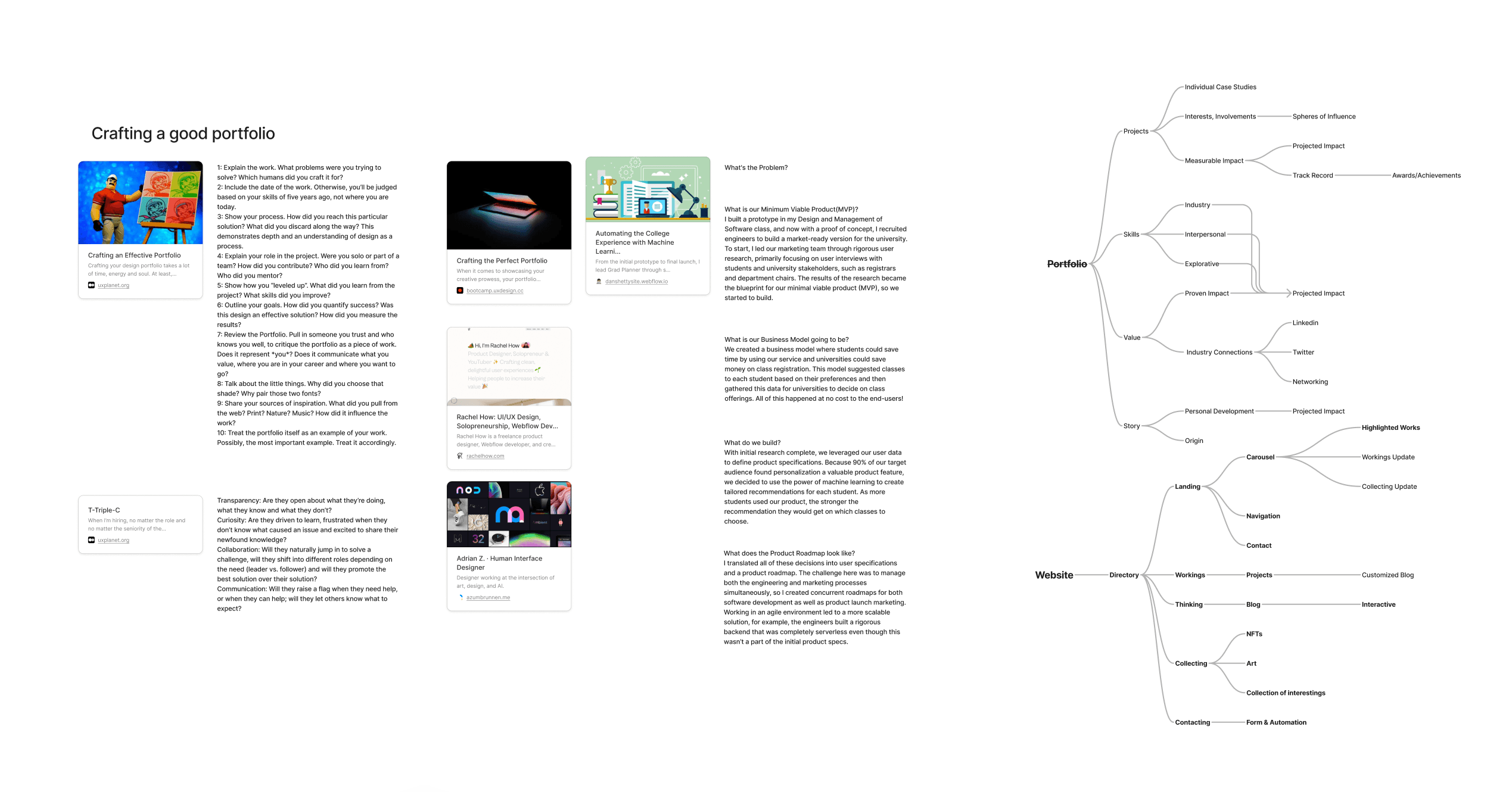
In any functional design process a most beneficial step is to begin by revisiting the basics. A good research sprint starts with the line 'I know nothing.' Take away your troublesome bias by pulling it by the roots like a weed and the soil will richen with nutrients for growth. This is the liberating part, where the real learning starts.
Here I found refreshing fountains of knowledge like expert portfolios & blogs by talent recruiters. They allowed me to not only learn but ask questions on where I wanted to go with my design, once synthesized I could map an Ideal experience/structure path for talent recruiters & peers.
Notable links:
Planning.
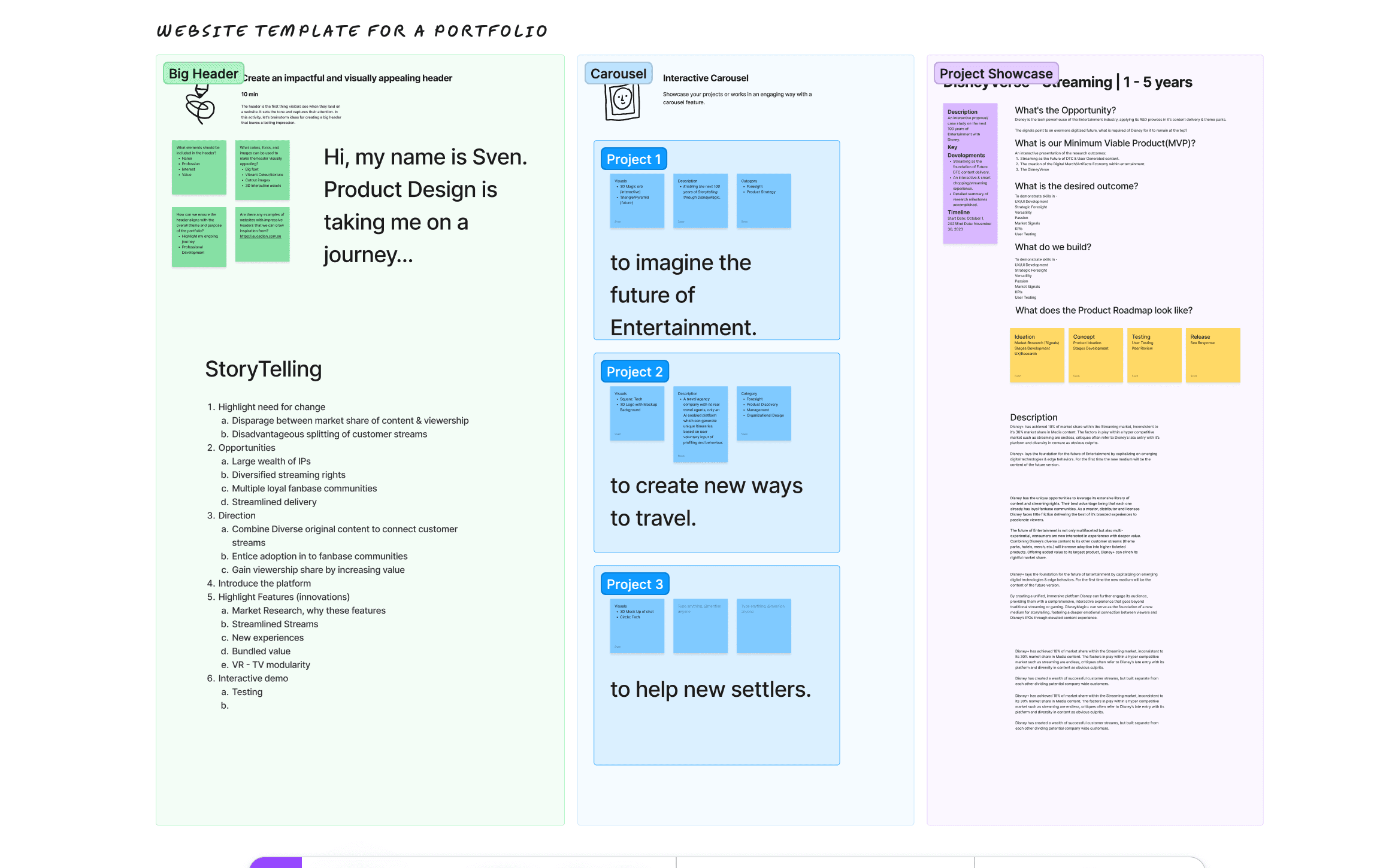
I used a basic top-down framework to plan the content of this website, starting from the desired goals to how the medium would be consumed. Being open to use a diverse set of frameworks allowed me to consider the branding and storytelling opportunities that can come from an online portfolio.
Priorities
Through my research I looked at many portfolios of seasoned designers with prestigious roles at companies like Apple, Google & Spotify. Here are the takeaways:
Their portfolios represented a personal style that complimented their experience & current role. (e.g. Adrian Z.)
The priority was to tell a narrative that either pushed forward the goal of their portfolio or company (e.g. Noomo Agency).
Narrative depended on visual storytelling of the impact the design had, rather than just explaining it through texts (also Noomo Agency).
These observations led to two simple goals in in this project; first to develop a personal style that represents the type of work and company I want to work in as a new designer, while retaining key principals of web design such as responsiveness. Second, to develop a website that tells the story of a design rather than a case study and lead the user through my work without losing focus.
Prototyping.
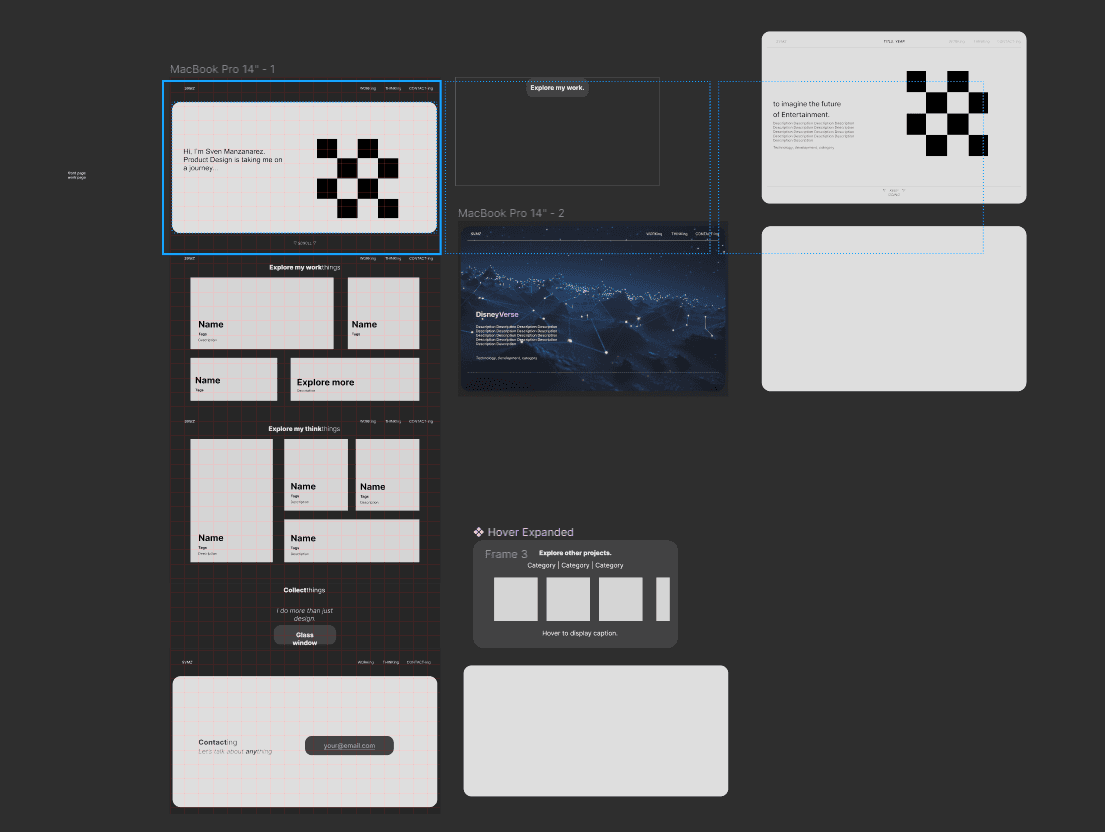
Using Figma, I created a wireframe concept that implemented the page/content hierarchy I needed while enabling my visual heavy style. I planned my website to look like ideally, prioritizing ease of navigation. I opted to use Framer to build the website from scratch with as much original thought as my UI skills allowed me.
I chose Framer as it is a free web development tool, it works on visual design like Figma or Wix. It is completely free to use for development stages, to host your design under a custom domain starts as low as $24 a month (plus tax). They also have great dev community which supports on custom coding and responsive designs through their REMIX features. *I am not affiliated or sponsored by Framer, I just think their product is great.
Challenges & Opportunities.
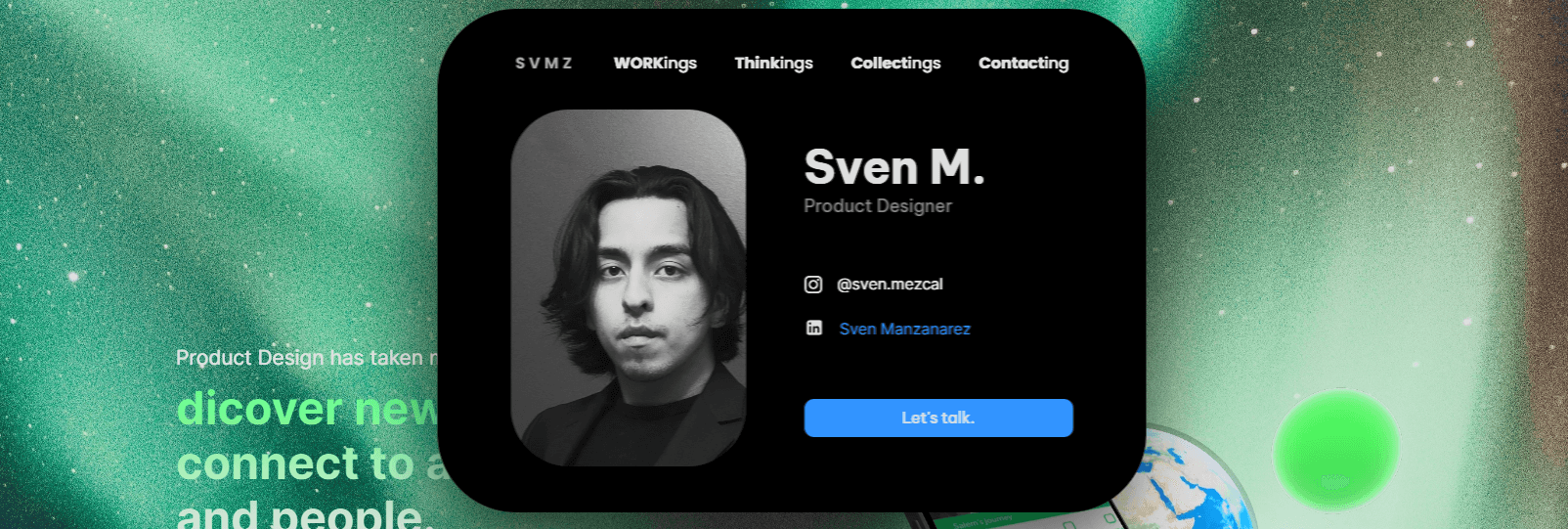
The first obstacles I faced was the sobering reality that is: website responsiveness. This presents an opportunity for innovation on how to structure content and user flows. My answer is based on a component created by the Framer community Dynamic TopNav created by Ademar Rodrigues, a simple and responsive sandwich menu which imitates Apple's dynamic island. I remixed with my own additions to UI.
Right now, I am interested in attracting work from Entertainment & Digital tech companies. I want to present utility in my UX/UI and retain space to present visual elements such as video, photography and 3D interactive elements. This is why I'm focusing on a Presentation/Slideshow style which allows for cadenced stages in visual storytelling.
Another obstacle was how to present information to retain focus. A personal issue I seek to resolve is overstimulation in information intensive websites. To combat this I built my website on a slideshow rail; every section is a slide on which the screen will pause during scroll.
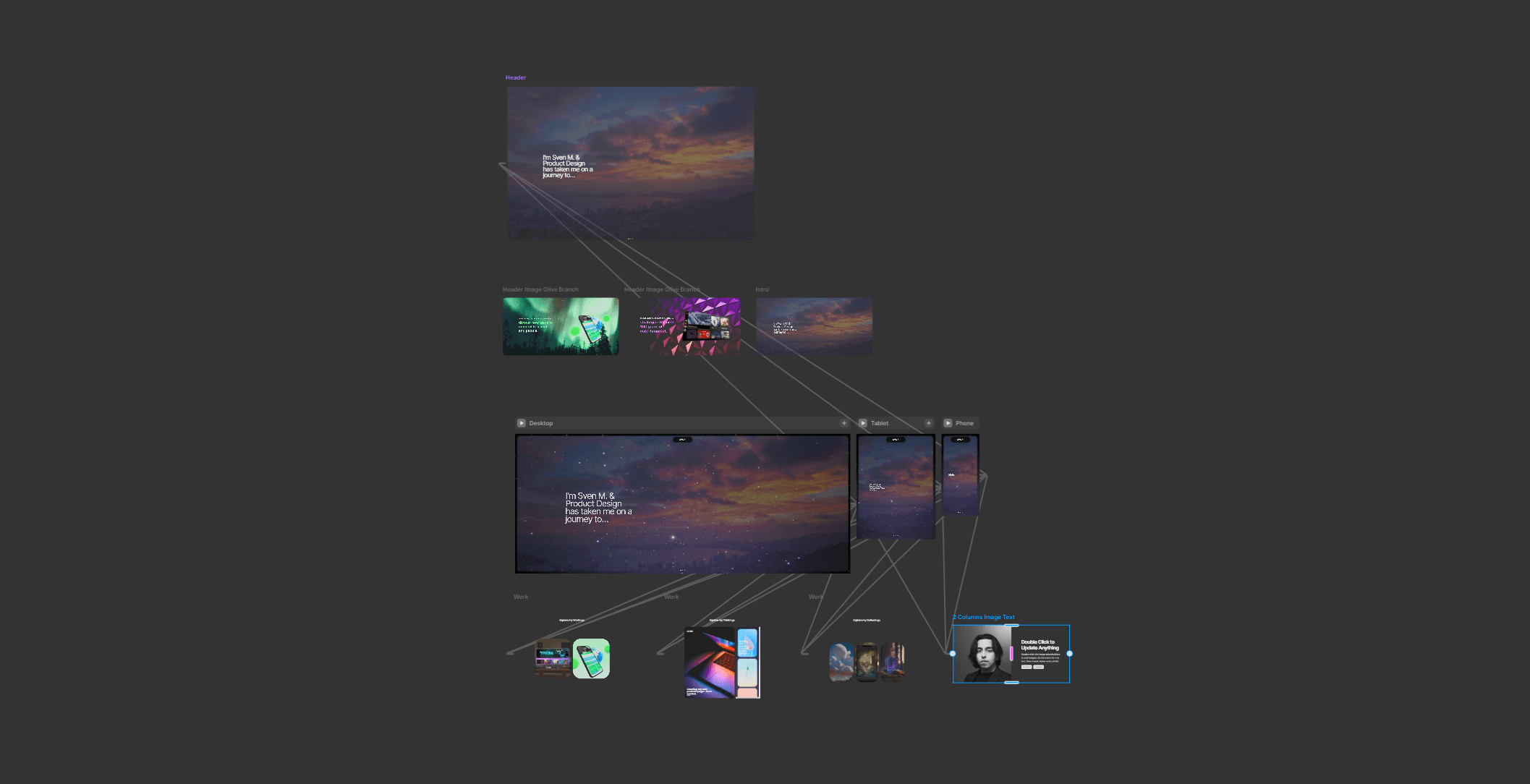
I aim to tell a story through my work and information architecture. The slideshow rail presents a perfect opportunity to restrain the user's focus to only what's important in the moment of the story, there is little room for them to drift too far too fast.
Next Steps.
As of right now I'm putting together the final touches on my Thesis project so I can present a Hi-Fi prototype. I'm working to also refine my visual style, I want to hit a blend between what has risen from 'Web3' websites, interaction design at Apple and my own use of visual context.
In these next week I will be beginning Part 2 of this journey, where I will present the a finished product.
Sources
https://azumbrunnen.me/experiments.html
https://www.rachelhow.com
https://bootcamp.uxdesign.cc/crafting-the-perfect-portfolio-960b72d8c024
https://danshettysite.webflow.io/post/automating-the-college-experience-with-machine-learning
https://www.framer.com/blog/interactive-menus-framer-challenge-recap/
https://noomoagency.com/
https://uxplanet.org/t-triple-c-41160994e81c

Purchase
Framer Templates
By Ademar Rodrigues

Sven M.
Product Designer at Google

@IGhandle
+44 1234 987465
thisismyemail@gmail.com